FIRE storage explorer in the console #
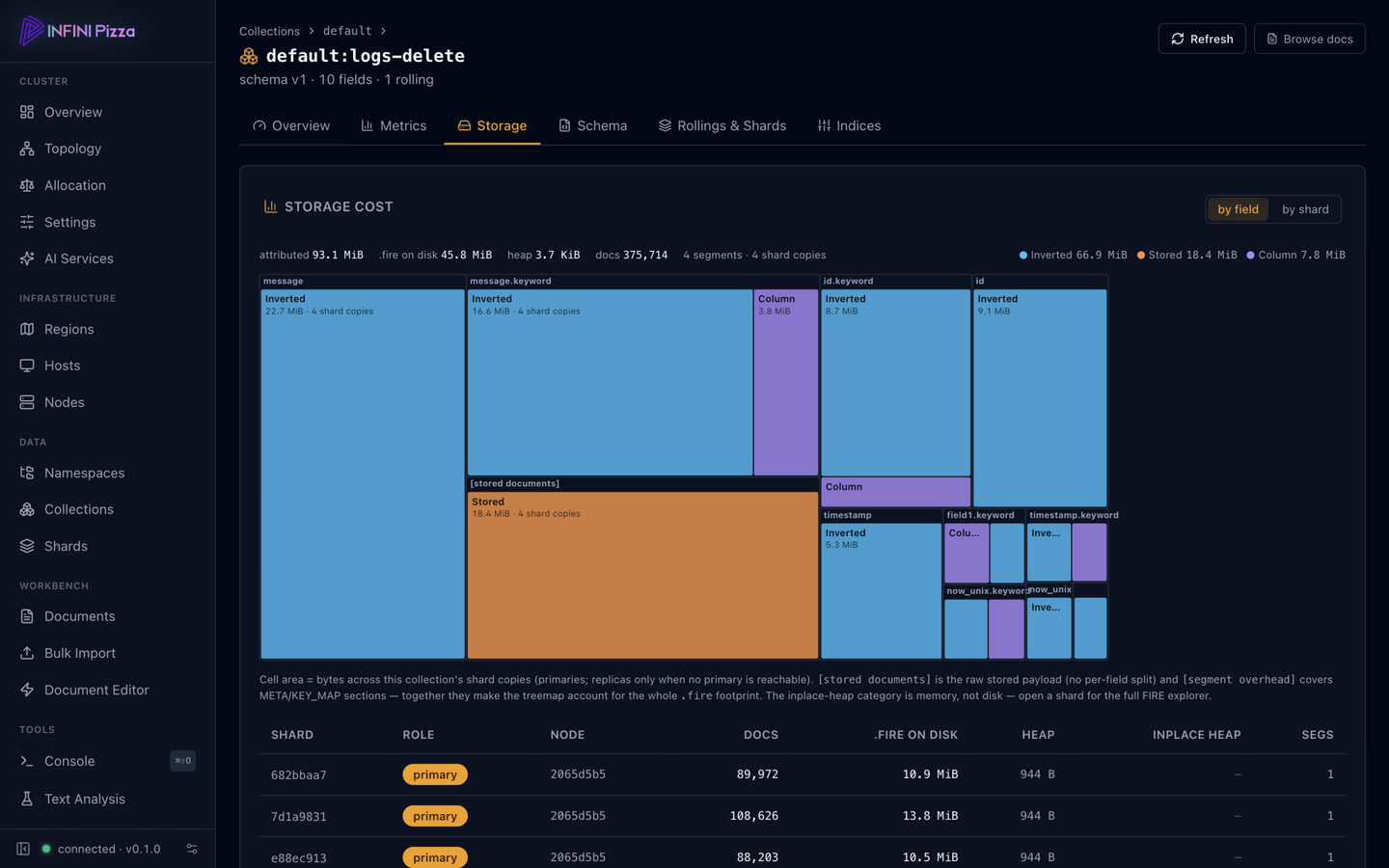
The web console (/_ui/) gained a FIRE storage explorer: drill from a
node’s shards down to a single segment’s .fire files and see exactly
where the bytes go — a per-field cost treemap of the columnar FIRE
storage, next to the inverted index and stored-field payloads. In the
screenshot above, the collection’s Storage tab sizes every field by
its on-disk cost, each block split into storage categories — so the
question “which field is eating my disk” is answered by the biggest
rectangle on screen.
It makes questions like “which field is eating my disk” or “how much
would dropping this field save” answerable by looking instead of by
scripting against the raw data directory. The underlying per-shard data
is served by the node storage APIs (/_node/_local/storage, per-shard
.../storage), the same surface the collection Storage tab uses.
Open the console on any node, pick a shard, and start digging.