/ Console,
/ Storage,
/ ObservabilityFIRE storage explorer in the console
#
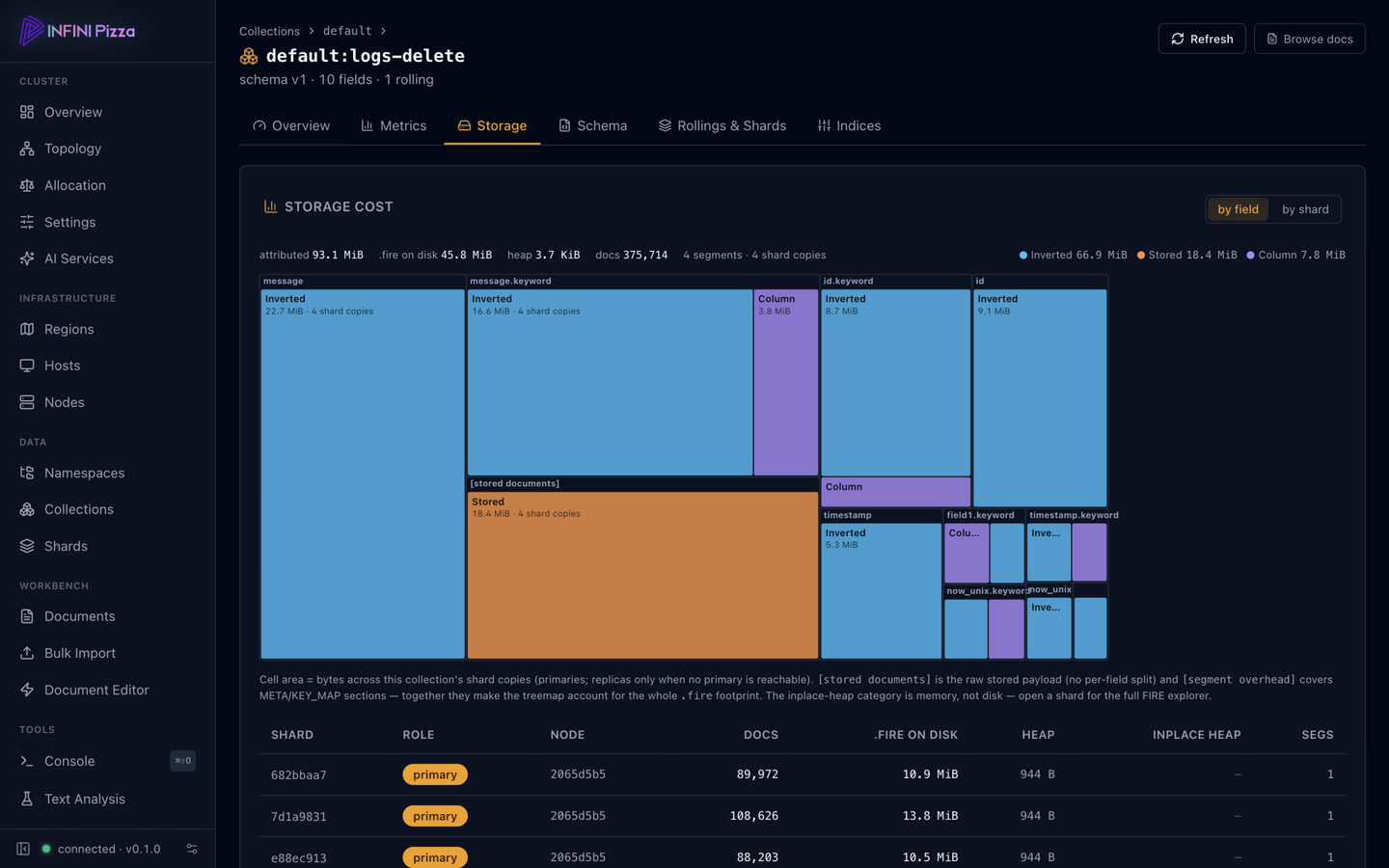
The web console (/_ui/) gained a FIRE storage explorer: drill from a
node’s shards down to a single segment’s .fire files and see exactly
where the bytes go — a per-field cost treemap of the columnar FIRE
storage, next to the inverted index and stored-field payloads. In the
screenshot above, the collection’s Storage tab sizes every field by
its on-disk cost, each block split into storage categories — so the
question “which field is eating my disk” is answered by the biggest
rectangle on screen.
.../ Console,
/ Web UiPizza Console
#
The Pizza Console is the built-in web console for a Pizza cluster. It is
embedded in the pizza-server binary at build time, so there is nothing to
install or deploy — every node serves it. Use it to browse the cluster,
manage namespaces and collections, edit settings, and run API requests
from the browser.
Open the console
#
With a node running on the default binding, open:
.../ Observability,
/ Operations,
/ ConsoleHost & capability probes — see the machine, not just the node
#
Every node now reports what its host actually is and what it can actually
do, on GET /_node/_local under host: the OS distribution and kernel,
NUMA topology (node count + per-node CPU lists and distances), NIC
inventory with negotiated link speeds, the data disk’s bus (NVMe or not)
with its I/O scheduler and atime policy, the container and seccomp
environment, the DMI platform, transparent-hugepage state — and the
resource ceilings: fd limit vs usage, mmap count vs max_map_count,
swap, conntrack fill, TCP sysctls, and cgroup CPU/memory quotas with
throttle counts. The stats API adds a steal_percent trend — the
noisy-neighbor line on shared tenancy.
...